Saturday, October 19, 2013

Friday, October 18, 2013

How to make DVD Case Movie Icons

This tutorial teaches you to make your very own movie icon.

1. First download the files (PSD template) from the link below.

https://docs.google.com/file/d/0B53IyMiLfKsnUXYtcExWY1J2NWM/edit?usp=sharing

2. Open the downloaded folder and double click on the PSD file.


movie icon
DVD case Icon PSD template
3. Photo shop will open up and the template will be loaded there.

4. Now Replace the image with your desired one

5. Adjust your image to fit in the box ( Adjust by pressing Ctrl + t )

6. Scroll down to background layer and click on the eye button to remove visibility. This will make the icon transparent.


movie icon
Remove the eye by clicking on it
7. Now your Icon should look like the picture below

movie icon
Icon Preview
8. Save your Icon by selecting File and select save as

9. In the save as window, select ICO from the drop down format menu. 


movie icon
Save as Window
10. Change the file name to your desired one and click save.

!! That's it, now enjoy your Movie Icons !!

Icons

You can have your Movie folder looking like this:


Icons
Click on the image to enlarge it
Or your folder Icons according to the contents:

Icons
Click on the image to enlarge it
Go ahead check out these links to get the icons you CRAVE.....


More Icons coming soon :)

Movie Icons 2013

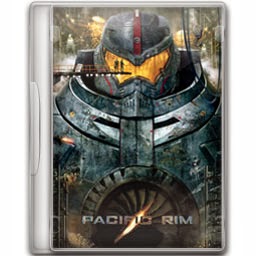
Instruction: "Click" on the image to download Icon (256*256)


movie iconsMovie IconsMovie icons


Movie IconsMovie IconsMovie Icons

Movie iconsmovie iconmovie icon

movie iconmovie iconmovie icon

movie iconmovie iconmovie icon

movie iconmovie iconmovie icon

movie iconmovie iconmovie icon

More Icons will be added soon. If you want a movie case icon made leave a comment i'll make you one.