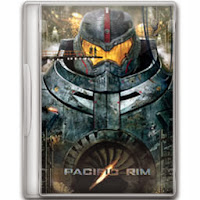
This tutorial teaches you to make your very own movie icon.
1. First download the files (PSD template) from the link below.
https://docs.google.com/file/d/0B53IyMiLfKsnUXYtcExWY1J2NWM/edit?usp=sharing
https://docs.google.com/file/d/0B53IyMiLfKsnUXYtcExWY1J2NWM/edit?usp=sharing
2. Open the downloaded folder and double click on the PSD file.
3. Photo shop will open up and the template will be loaded there.
4. Now Replace the image with your desired one
5. Adjust your image to fit in the box ( Adjust by pressing Ctrl + t )
6. Scroll down to background layer and click on the eye button to remove visibility. This will make the icon transparent.
8. Save your Icon by selecting File and select save as
9. In the save as window, select ICO from the drop down format menu.
10. Change the file name to your desired one and click save.
!! That's it, now enjoy your Movie Icons !!
 |
| DVD case Icon PSD template |
4. Now Replace the image with your desired one
5. Adjust your image to fit in the box ( Adjust by pressing Ctrl + t )
6. Scroll down to background layer and click on the eye button to remove visibility. This will make the icon transparent.
 |
| Remove the eye by clicking on it |
7. Now your Icon should look like the picture below
 |
| Icon Preview |
9. In the save as window, select ICO from the drop down format menu.
 |
| Save as Window |
!! That's it, now enjoy your Movie Icons !!